
New Features
-
Assign a Template to a Candidate
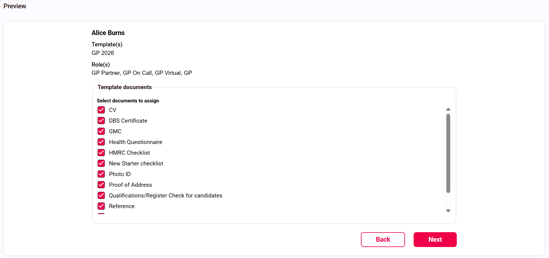
On a candidate record, you can now choose to assign a template of documents to request from them.
To do this:
-
Go to the Request documents tab on a candidate record
-
Select 'Assign Template'
-
Choose your template(s)
- Click 'Assign Template'
- Review the documents and unselect any you don't need
- Press 'Next'
- Review the documents and check any others you require from the full list
-
Press 'Request documents'