
This release will be available to all customers from 5 October 2026. However, we recommend that you don't upgrade to i170.3 until the morning of your scheduled transition to version 8.1.
If you need any further help, please contact our support team.
New features
1. Version 8.1 only - Signing in without Single Sign On
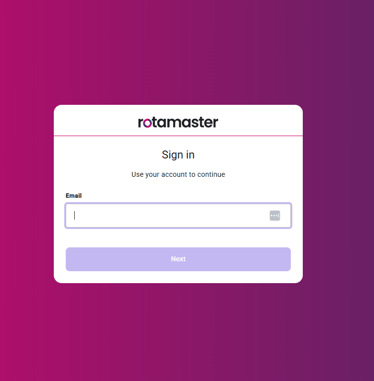
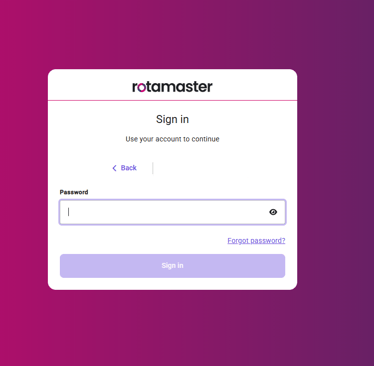
You will now access Rotamaster via https://app.rotamasterweb.co.uk/ which will take you to a new sign in screen. To access the system you will have to enter your admin username, click Next and then enter your password. If your email address is only linked to one organisation you will be logged straight in. If your email address is linked to multiple organisations you will be asked to choose which organisation you are trying to access.
2. Version 8.1 only - Signing in with Single Sign On
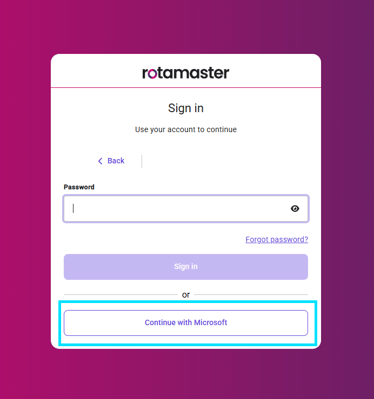
You will now access Rotamaster via https://app.rotamasterweb.co.uk/ which will take you to a new sign in screen. To access the system you will have to enter your admin username, click Next and click Continue with Microsoft
2. Version 8.1 only - Side navigation bar
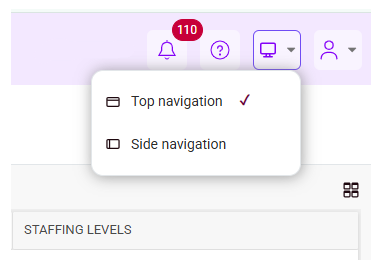
You will now be able to navigate the system using a side navigation bar as well as the existing top navigation bar. You can change this by clicking the new Display button and selecting side or top navigation
3. Version 8.1 only - Switch organisation
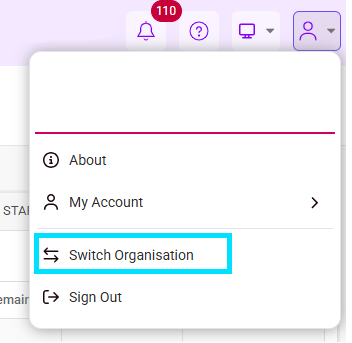
If you have administrator access to more than one organisation you can easily switch between the two by clicking the new profile button and selecting Switch organisation. This will take you to the select organisation page allowing you to access a different system.
Please note, this does not apply for test systems. For help accessing your test system please contact your Customer Success Manager or our support team.
3. Version 8.1 only - Knowledge base link
The knowledge base can now be accessed directly from Rotamaser using the new Support guides button. Clicking this will open the knowledge base in a new tab on your browser

4. Version 8.1 only - Multi tab viewer
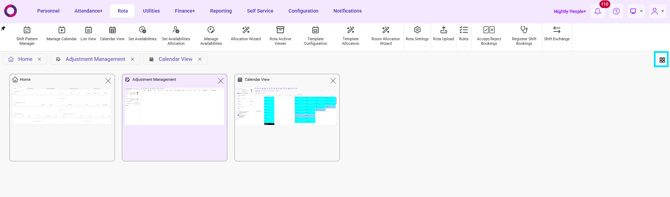
You can now easily see all open tabs you have on the system and navigate through them by clicking the multi tab viewer button
5.Version 8.1 only - Shift card icons
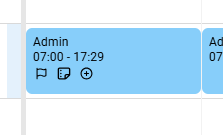
Flags, notes and dependents will now show as icons on shift cards in Calendar View. Please be aware, the flag icon will not change with the assigned flag.
Other functionality changes
- Version 8.1 only - Documents can now be uploaded directly from your computer file explorer to Rotamaster. Navigate to the area you would like to upload a document to and click to add a document,your file explorer will open and you wil be able to select which document you would like to upload.
- Version 8.1 only - The new user registration email will no longer include a code, there will be a link allowing users to be directly to the account creation page on Rotamaster allowing them to create a password and log in.
- Pay Rate Groups have been renamed to Pay Rates throughout the system
- View Rota has been renamed to List View throughout the system
- Rota Weekly Viewer has been renamed to Calendar View throughout the system
- Whitelist and Blacklist have been renamed to Allowlist and Blocklist